Spike Solution - End Shapes
End shapes are what you have on the ends of arrows, shaped buttons and connecting ribbons. It's a useful idiom.
This spike solution was a request to Claude for tags with Mermaid inspired end shapes:
| Symbol | End Shape |
|---|---|
<
|
Chevron |
(
|
Round |
[
|
Flat |
I asked Claude to add the shapes on to html spans. You'll find the code at the GitHub safer-centaurs-toolbox.
End shapes are important ubiquitously in Scorpio Diagrams. 'Badges' with text on them have end shapes. The end shapes can be used in specifying the shapes of boxes in flow charts. Ribbons have end shapes, making them into arrows and connections of other kinds. In tiles based on Scratch (the tile-based educational programming languages), the pieces that click together are shaped by 'end shapes', and these shapes follow through naturally to the round and angled pieces used within Scratch shapes. Missing fields can be shown with a sunken bevel, and the shape can indicate what kind of data is required. We can type a value into such a misisng field, or we can drag a piece of the right shape into it.
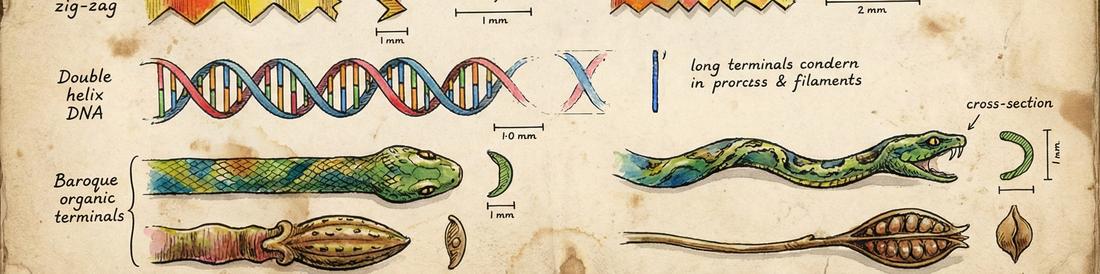
Scorpio extends the idea of the end shape to include named end shapes, such as :zig-zag: and :snake-head:. This leads to using SVG paths for defining the end shapes, to get enough generality.
Spike 1 - Choosing Classes for the End Shapes
Spike 2 - Tags Drawn as SVG Paths
Take Homes
I hadn't thought of using
data='[args]'
instead of multiple classes until Claude started using something like it. The querySelector below was new to me, and makes processing all tags on a page straightforward.
const tags = document.querySelectorAll('.tag[data]');
Made with Claude
Claude made a lot of boilerplate code for the svg, which got something working fast. I am not sure I 'like' it, but it gets the job done, and I can pare it down later.
Claude is unaware of the issue that end shapes are drawn bottom to top on the left edge and top to bottom on the right edge. When reusing shapes on left and right, we may need reflection or rotation.
Claude added a lot more padding in the tags than I would. Such things can be fixed later.
Claude has difficulty tracking direction in drawing SVG. Working with Claude suggested the
data=[]idiom, which I wouldn't have got to on my own.